
Acer ODK4K0 9-in-1 USB-C Docking Station
Qty:
Item Code DCKNGSTODK4K0NB
Brand Acer
Model ODK4K0
Category Docking Stations & Port Replicators
Condition New Open Box
Description
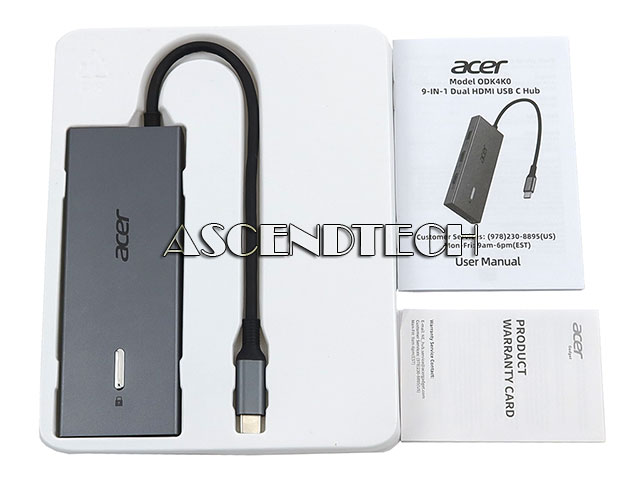
Acer ODK4K0 9-in-1 USB-C 100W PD SD/Micro SD Cards USB-C/A 3.0 Dual HDMI Laptop Docking Station.
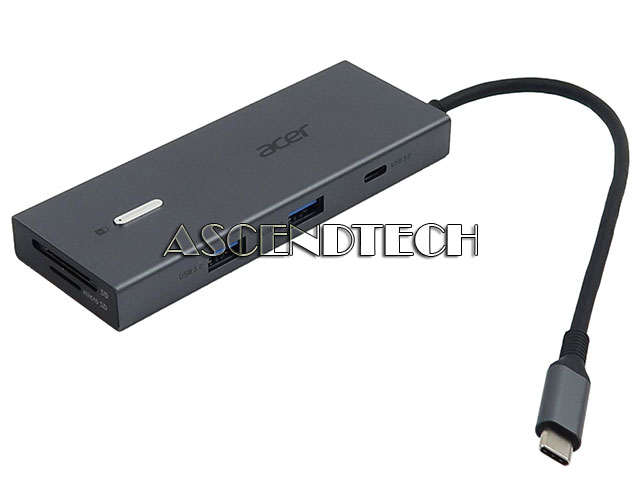
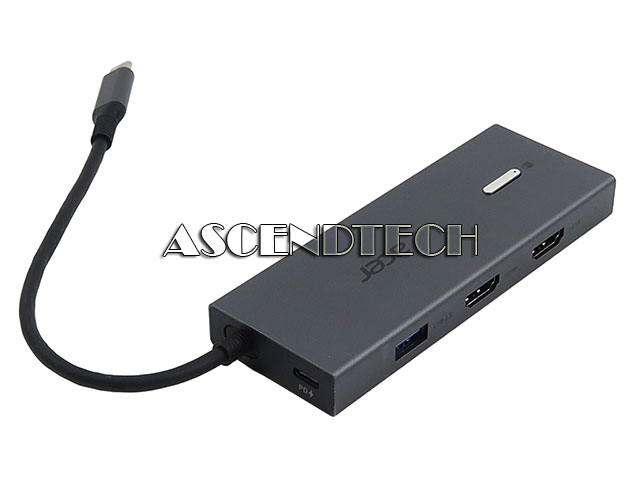
Input/Output Ports: 2x HDMI 2.0; 3x USB-A 3.0; 1x USB-C 3.0; 1x Micro SD; 1x SD; 1x USB-C PD 100W (In)
Color: Gray
Type: Laptop Docking Station
Features: 9-in-1 USB-C Docking Station: This Acer laptop docking station includes 2 HDMI (4K 60Hz), 3 USB-A (5Gbps), 1 USB-C (5Gbps), 100W PD charging, and SD/MicroSD slots (104Mbps). Note: Please ensure your laptop has a USB-C port with video output (DisplayPort Alt Mode) support. Stunning Dual 4K 60Hz Display: This USB-C docking station supports dual monitors via 2 HDMI ports with 4K at 60Hz resolution, making screen extension or mirroring easy. Note: Please ensure that your device (including laptop, cables, and monitors) supports HDMI 2.0 or higher resolution. macOS only supports one external monitor in Extend mode. Fast Data Transfer and Easy Access: This Acer USB-C docking station offers 1 USB-C (5Gbps), 3 USB-A (5Gbps), and dual SD/MicroSD slots (up to 104Mbps) for fast, reliable file transfers. 100W PD Fast Charging, Efficient Power Supply: This Acer USB-C hub supports up to 100W input and delivers up to 90W to your laptop, allowing you to stay charged while using the docking station. Note: Ensure your devices USB-C port supports Power Delivery (PD); use a 65W+ power adapter (not included). Thoughtful Details: This docking station has a 0.66FT built-in cable, an aluminum alloy body, and a lock button for device security. Single click locks Windows; press and hold 3s for Mac. Universal Compatibility: This docking station is designed for laptops with full-featured USB-C ports that support display, charging, and data transfer-compatible with Dell, Lenovo, and Surface devices. Pre-Use Setup Guide: For Mac: System Settings - Privacy and Security - Accessories, then set it to Always Allow. For Windows: Plug-and-play ready, enable external devices in Settings - Devices. After setting, reconnect the docking station and wait for your computer to recognize the device.