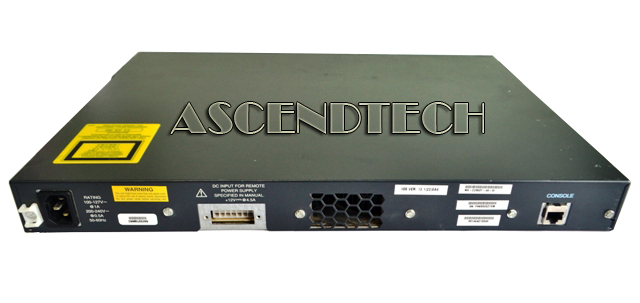
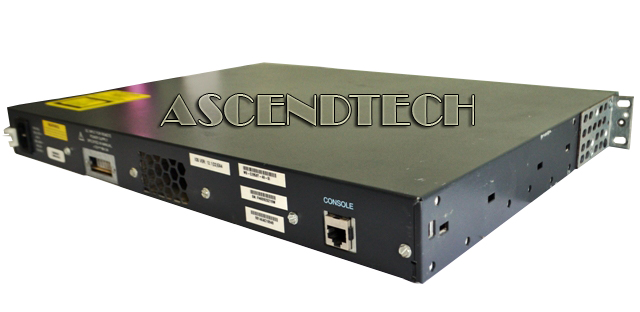
Cisco Ethernet Switch WS-C2950T-48-SI
Description
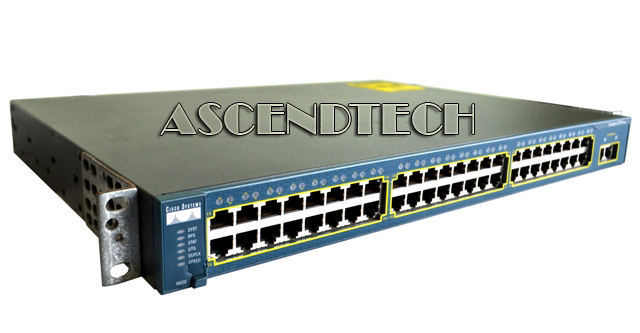
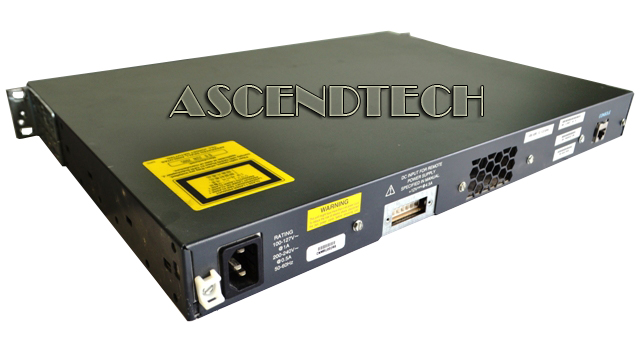
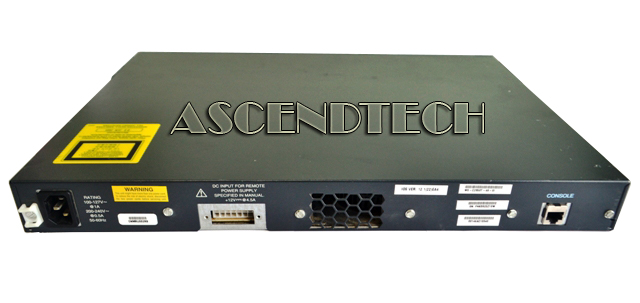
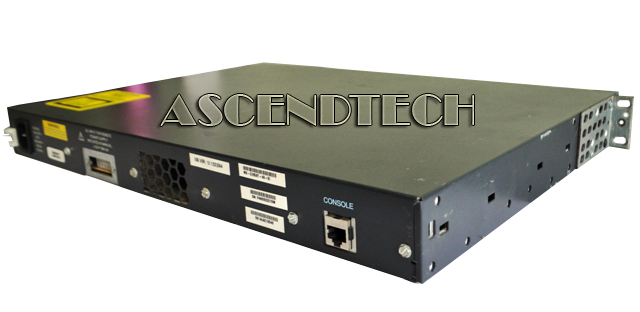
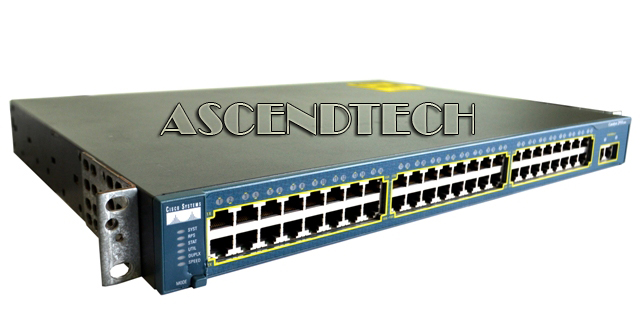
Cisco Catalyst 2950 48-Port 10/100/1000 BaseT Ethernet Network Rackmount Managed Switch E011-03-4148(A) WS-C2950T-48-SI. Your network operates by connecting computers and other devices using a combination of different networking hardware. These devices are the essential to allow your various pieces of equipment to connected to your network, and communicate with one another and other networks.
Cisco Part Number: WS-C2950T-48-SI
Model Number: Catalyst 2950
Compatible Part Numbers: E011-03-4148(A)
Specifications:
| Standards | IEEE 802.1x support IEEE 802.3x full duplex on 10BASE-T and 100BASE-TX ports IEEE 802.1D Spanning-Tree Protocol IEEE 802.1p class-of-service (CoS) prioritization IEEE 802.1Q VLAN IEEE 802.1s IEEE 802.1w IEEE 802.3 10BASE-T specification IEEE 802.3u 100BASE-TX specification IEEE 802.3ad IEEE 802.3z 1000BASE-X specification |
| Primary Ports | 48 10/100 Mbps ports with two fixed 10/100/1000BASE-T uplinks |
| Primary Port Speed | 10/100Mbps Ports + 1000Mbps Uplinks |
| MAC Address Table | 8K |
| VLAN Support | Yes |
| Buffer Memory | 8 MB packet buffer memory architecture shared by all ports 16 MB DRAM and 8 MB Flash memory |
| Security | A private VLAN edge provides security and isolation between ports on a switch, ensuring that voice traffic travels directly from its entry point to the aggregation device through a virtual path and cannot be directed to a different port. Support for the 802.1x standard allows users to be authenticated regardless of which LAN ports they are accessing, and it provides unique benefits to customers who have a large base of mobile (wireless) users accessing the network. SSHv2 provides network security by encrypting administrator traffic during Telnet sessions. SSHv2 requires a special cryptographic software image due to US export restrictions. Port Security secures the access to a port based on the MAC address of a user’s device. The aging feature removes the MAC address from the switch after a specific time to allow another device to connect to the same port. MAC Address Notification allows administrators to be notified of new users added or removed from the network. Multilevel security on console access prevents unauthorized users from altering the switch configuration. Trusted Boundary provides the ability to trust the QoS priority settings if an IP phone is present and disable the trust setting in the event that the IP phone is removed, thereby preventing a rogue user from overriding prioritization policies in the network. TACACS+ and RADIUS authentication enables centralized control of the switch and restricts unauthorized users from altering the configuration. SPAN support of Intrusion Detection Systems (IDSs) to monitor, repel, and report network security violations. SNMPv3 (non-crypto) monitors and controls network devices, manages configurations, statistics collection, performance, and security. CISCO Network Assistant software security wizards ease the deployment of security features for restricting user access to a server, a portion of the network, or access to the network. |
| Layer | 2 |
| Cabling | 10BASE-T ports: RJ-45 connectors, two-pair Category 3, 4, or 5 unshielded twisted-pair (UTP) cabling. 100BASE-TX ports: RJ-45 connectors; four-pair Category 5 UTP cabling. 1000BASE-SX ports: MT-RJ connectors, up to 1800 feet (550 meters) cable distance for 50/125 or up to 900 ft (275 m) cable distance for 62.5/125 micron multimode fiber-optic cabling. |
| LEDs | Per-port status LEDs: link integrity, disabled, activity, speed, and full-duplex indications. System status LEDs: system, RPS, and bandwidth-utilization indications. |
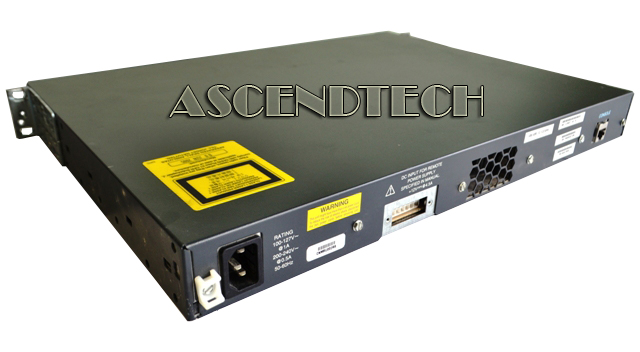
| Power | 45W (maximum) AC input voltage: 100 to 127, 200 to 240 VAC (auto-ranging) AC input frequency: 47 to 63 Hz |
| Features | 1-RU standalone, fixed-configuration, managed 10/100 Mbps switch Standard Image (SI) Software Superior Redundancy for Fault Backup Integrated CISCO IOS Software Features for Bandwidth Optimization |
| Dimensions | 17.5" x 13.0" x 1.7" |
| Weight | 10.0 lbs. |
| Temperature | 0ºC to 45ºC (32ºF to 113ºF) |
| Humidity | 10–85% (non-condensing) |
| Case | Metal Case |
Features and Benefits:
Cisco Catalyst 2950 Series Switches support Gigabit Ethernet connectivity through either fixed 10/100/1000BASE-T ports, fixed 1000BASE-SX ports, or GBIC ports. The following GBICs are supported: 1000BASE-SX, 1000BASE-LX, 1000BASE-ZX, 1000BASE-T, coarse wavelength-division multiplexing (CWDM), and the Cisco GigaStack ® stacking GBIC.
All Cisco Catalyst 2950 Series Switches support all traditional wiring-closet features such as a Web management interface, Network Timing Protocol (NTP), port-based VLANs, Cisco Fast EtherChannel ® technology, Cisco Gigabit EtherChannel technology, 802.1Q VLAN tagging support, VTP, UplinkFast, Per VLAN Spanning Tree Plus (PVST+), TACACS+, and RADIUS.
Cisco Catalyst 2950 Series Switches offer enhanced data security through several security features, which allow customers to secure network-management traffic by encrypting passwords and configuration information; provide options for network security based on users, ports, or MAC addresses; and restrict access to sensitive areas of the network. The security enhancements are available free of charge by downloading the latest software release for the Cisco Catalyst 2950 Series Switches.
Cisco Catalyst 2950 Series Switches can be managed using the Cisco Network Assistant software, which uses Cisco Switch Clustering technology. Through Cisco Network Assistant software, users can manage an unlimited number of switch clusters with up to 16 of these switches per cluster, regardless of their physical proximity. However, Community is the next-generation discovery mechanism that allows common services to be applied to switches, routers, and access points. These services include Cisco IOS Software upgrades, configuration management, inventory reports, network events, alerts, and password synchronization. Moving to Community allows you to use the new features such as the drag-and-drop Cisco IOS Software upgrade.
The Cisco Catalyst 2950 Series delivers a comprehensive set of management tools to provide the required network visibility and control. Managed with CiscoWorks, Cisco Catalyst switches can be configured and managed to deliver end-to-end device, VLAN, traffic, and policy management. CiscoWorks Resource Manager Essentials, a Web-based management tool, offers automated inventory collection, software deployment, easy tracking of network changes, views into device availability, and quick isolation of error conditions.
The Cisco Catalyst 2950 Series supports the following applications:
● CiscoWorks Campus Manager
● CiscoWorks CiscoView
● CiscoWorks Resource Manager Essentials
● CiscoWorks Device Fault Manager
● Cisco Secure User Registration Tool (VLAN Membership Policy Server [VMPS])
● Cisco Secure Access Control Server (RADIUS, TACACS+)
● CiscoWorks Internetwork Performance Monitor
● Cisco Service Assurance Agent
Cisco Catalyst 2950 Series Switches are fixed-configuration, stackable models that provide wire-speed Fast Ethernet and Gigabit Ethernet connectivity for small and medium-sized networks. The Cisco Catalyst 2950 Series with Cisco Enhanced Image software is an affordable product line that brings intelligent services such as advanced QoS, enhanced network security, and high availability to the network edge—while maintaining the simplicity of traditional LAN switching. When a Cisco Catalyst 2950 Series Switch is combined with a Cisco Catalyst 3560 Series Switch, the solution helps enable IP routing from the edge to the core of the network. Embedded in the Cisco Catalyst 2950 Series is Cisco Device Manager software, which allows users to configure and troubleshoot a Cisco Catalyst fixed-configuration switch using a standard Web browser. Cisco Network Assistant software provides new configuration wizards that greatly simplify the implementation of converged applications and network wide services.