
Unitek V1311A Dual Monitor KVM Switch
Qty:
Item Code KVMSWTCHV1311AA
Brand Unitek
Model V1311A
Part Number SJW-DKM202B
Category Monitor Add-Ons & Modules
Condition Like New Grade A
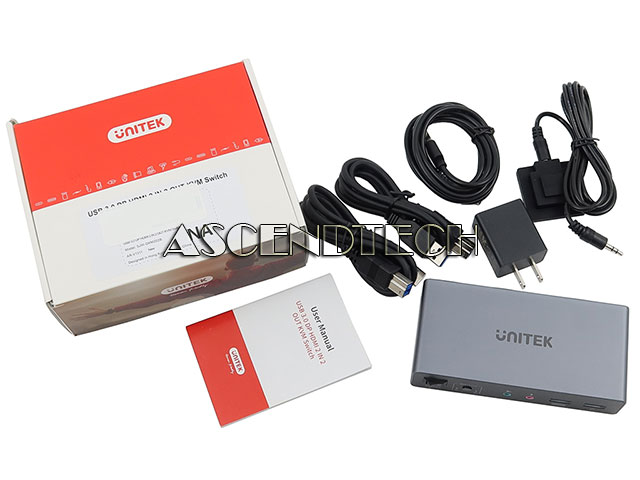
Condition Description Please note, this set include: USB HDMI DP KVM Switch, DC 5V/2A Power Adapter, Desktop controller, 2x USB A to B cable and User Manual. No other accessories!
Description
Unitek V1311A USB Mouse Keyboard Audio 4K 60Hz HDMI Displayport Dual Monitor KVM Switch SJW-DKM202B.
Color: Gray
Type: KVM Switch
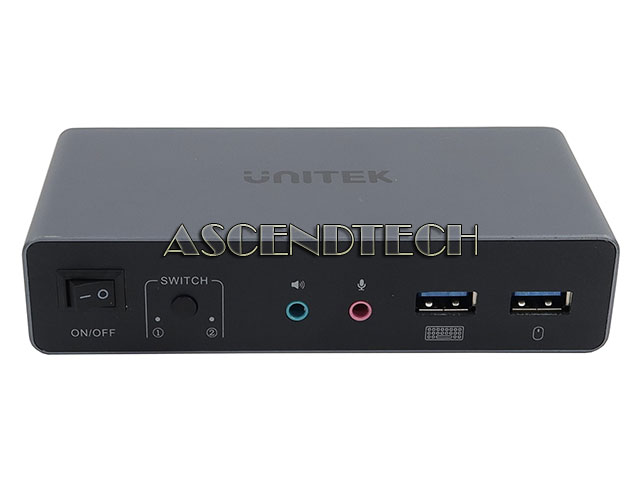
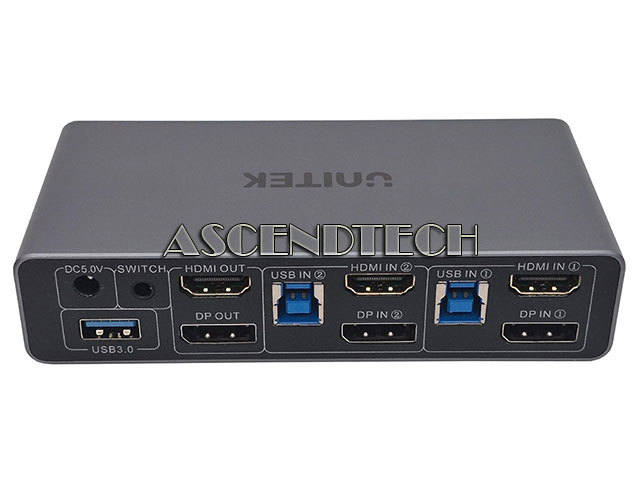
Features: DP & HDMI 2-in 2-out KVM Switch: The Unitek DP + HDMI KVM Switch allows you to connect two computers to a dual-monitor setup and share three USB 3.0 devices (such as a keyboard, mouse, hard drive, flash drive, or printer). This KVM switch is compatible with a wide range of input devices, including PCs and PS4, and supports multiple operating systems, including Windows 11/10/8/7/Vista/XP, Linux, and Mac OS. Integrated mic and headset ports provide added functionality for audio. 4K Resolution & HDCP Support: Enjoy crystal-clear visuals with support for resolutions up to 4K 60Hz, 2K, 3D, and 1080P. The switch is compatible with HDMI 2.0, HDCP 2.2/1.4, USB 2.0, 3D, and HDR, ensuring stunning, lifelike image quality with vibrant colors for any display need. Two Switching Modes: Easily toggle between two computers using the one-button switch on the device or the included desktop wired controller. This setup helps save desk space while sharing your peripherals, boosting productivity for home or office work. The wired remote allows you to hide the KVM switch for a cleaner workspace while keeping the controls within reach. High-Speed 5Gbps USB 3.0 Ports: Featuring four USB-A ports, this KVM switch integrates seamlessly with both USB 2.0 and USB 3.0 devices. USB 3.0 technology provides lightning-fast data transfer speeds of up to 5Gbps—significantly faster than the 480Mbps of USB 2.0—allowing for quick file and image transfers. Usage Instructions: This product is designed for use with desktop computers. To enable dual-display output (HDMI and DP simultaneously), both host devices must be connected with all necessary cables: one USB-B cable, one HDMI cable, and one DP cable per computer. Please use the included USB-A to USB-B cables for optimal performance.